set.seed(1)
portrait_door_centers <- tibble(
  x = rep(seq(1, 10, 3), 6),
  y = rep(seq(1, 16, 3), times = 1, each = 4),
  door_number = sample(1:24)
)
set.seed(1)
landscape_door_centers <- tibble(
  y = rep(seq(1, 10, 3), 6),
  x = rep(seq(1, 16, 3), times = 1, each = 4),
  door_number = sample(1:24)
)Back in 2018 I set myself the goal of an advent of R tips with a photo of a Christmassy coffee. It was an unwise decision, there weren’t enough good festive coffees for 24 enjoyable drinks. I created a script to create this animated GIF in {ggplot2}.
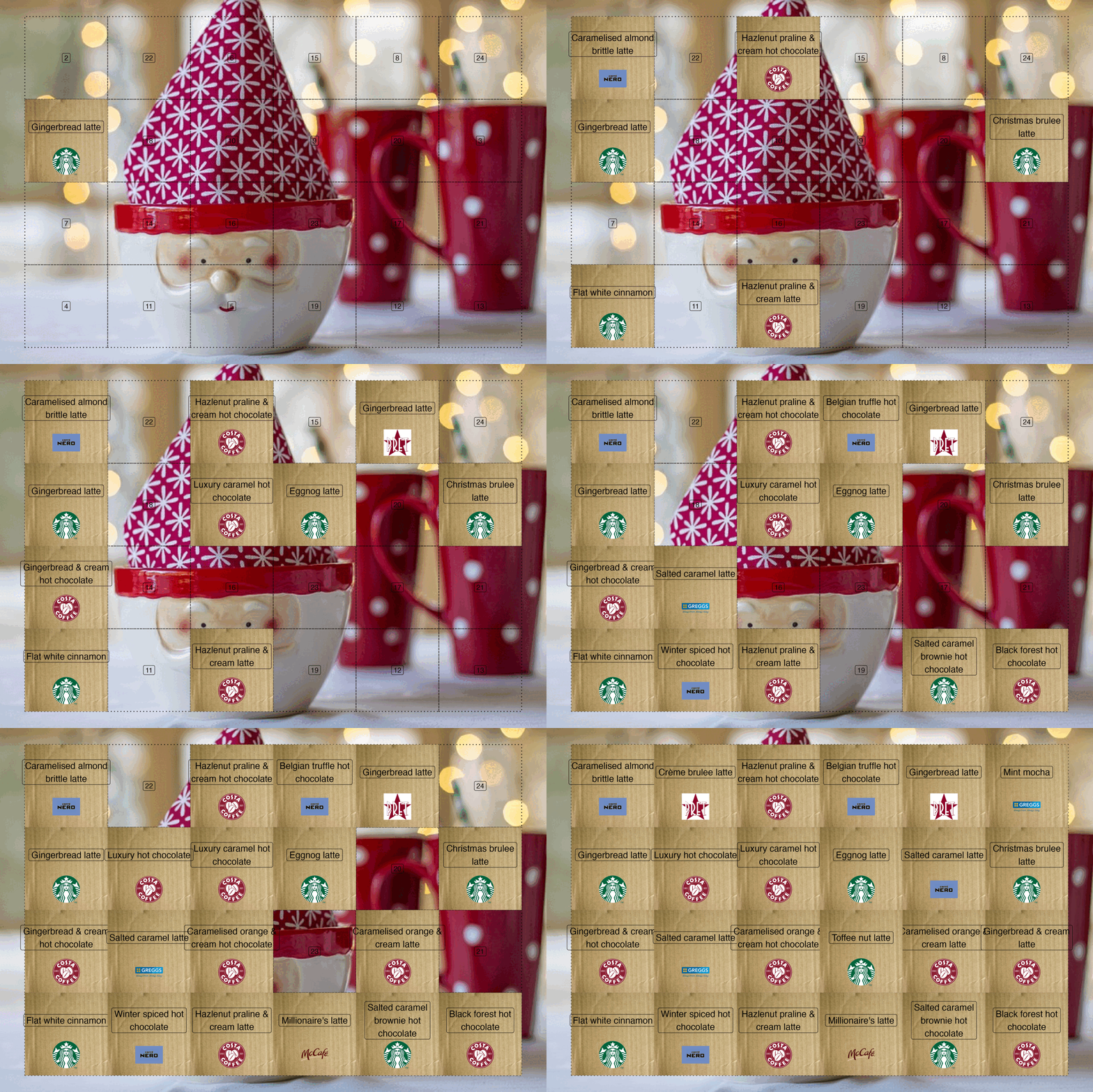
The original blogpost went really hard on trying to make a reproducible advent calendar. The goal of this blog is to give me a nice and quick way to show stuff. So away with that. Here’s some useful code I might reuse.
To start this chart off we need to create our doors and find their centres:
Now we can chart these
gg_advent_portrait <- portrait_door_centers |>
  ggplot(aes(x, y)) +
  geom_tile(color = "black", linewidth = 0.6, linetype = "dotted", alpha = 0) +
  geom_label(aes(label = door_number)) +
  coord_fixed() +
  theme_void()

gg_advent_landscape <- landscape_door_centers |>
  ggplot(aes(x, y)) +
  geom_tile(color = "black", linewidth = 0.6, linetype = "dotted", alpha = 0) +
  geom_label(aes(label = door_number)) +
  coord_fixed() +
  theme_void()

gg_advent_landscape + gg_advent_portrait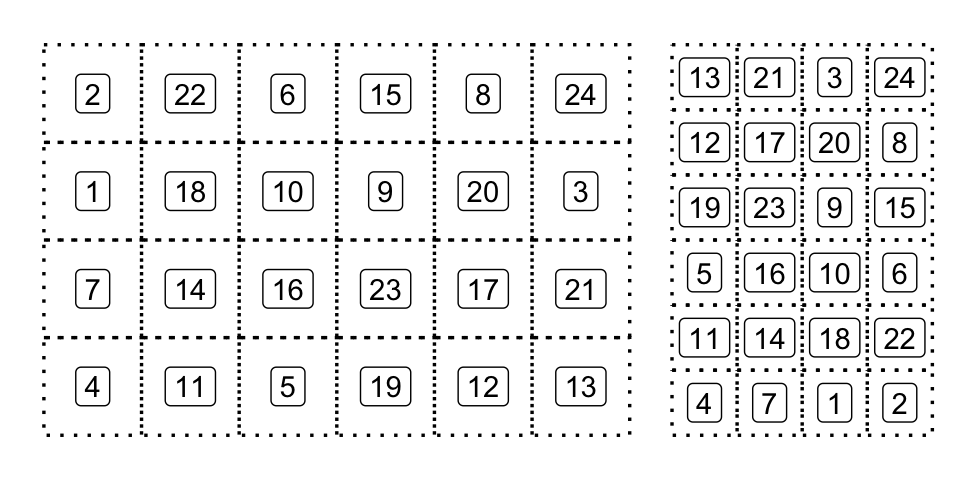
I saved all the Christmassy drinks into a .csv file which requires a little bit of wrangling.
read_csv(quarto_here(
  "24-days-of-christmassy-drinks.csv"
))
Rows: 24 Columns: 4
── Column specification ────────────────────────────────────────────────────────
Delimiter: ","
chr (3): drink.name, retailer, type
dbl (1): year
ℹ Use `spec()` to retrieve the full column specification for this data.
ℹ Specify the column types or set `show_col_types = FALSE` to quiet this message.# A tibble: 24 × 4
drink.name retailer type year
<chr> <chr> <chr> <dbl>
1 Christmas brulee latte Starbucks coffee 2018
2 Flat white cinnamon Starbucks coffee 2018
3 Toffee nut latte Starbucks coffee 2018
4 Gingerbread latte Starbucks coffee 2018
5 Eggnog latte Starbucks coffee 2018
6 Salted caramel brownie hot chocolate Starbucks hot chocolate 2018
7 Caramelised almond brittle latte Café Nero coffee 2018
8 Salted caramel latte Café Nero coffee 2018
9 Belgian truffle hot chocolate Café Nero hot chocolate 2018
10 Winter spiced hot chocolate Café Nero hot chocolate 2018
# ℹ 14 more rowschristmassy_drinks_2018 <- read_csv(quarto_here(
"24-days-of-christmassy-drinks.csv"
)) |>
clean_names() |>
filter(year == 2018) |>
slice(landscape_door_centers$door_number) |>
mutate(door_number = 1:24)Rows: 24 Columns: 4
── Column specification ────────────────────────────────────────────────────────
Delimiter: ","
chr (3): drink.name, retailer, type
dbl (1): year
ℹ Use `spec()` to retrieve the full column specification for this data.
ℹ Specify the column types or set `show_col_types = FALSE` to quiet this message.landscape_door_treats <- christmassy_drinks_2018 |>
left_join(landscape_door_centers)Joining with `by = join_by(door_number)`landscape_door_treats <- landscape_door_treats |>
mutate(drink_name = str_wrap(drink_name, 20))These can be added to the squares:
landscape_door_treats |>
  ggplot(aes(x, y)) +
  geom_tile(color = "black", linewidth = 0.6, linetype = "dotted", alpha = 0) +
  geom_label(aes(label = drink_name), nudge_y = 0.5, size = 4) +
  theme_void() +
  coord_fixed()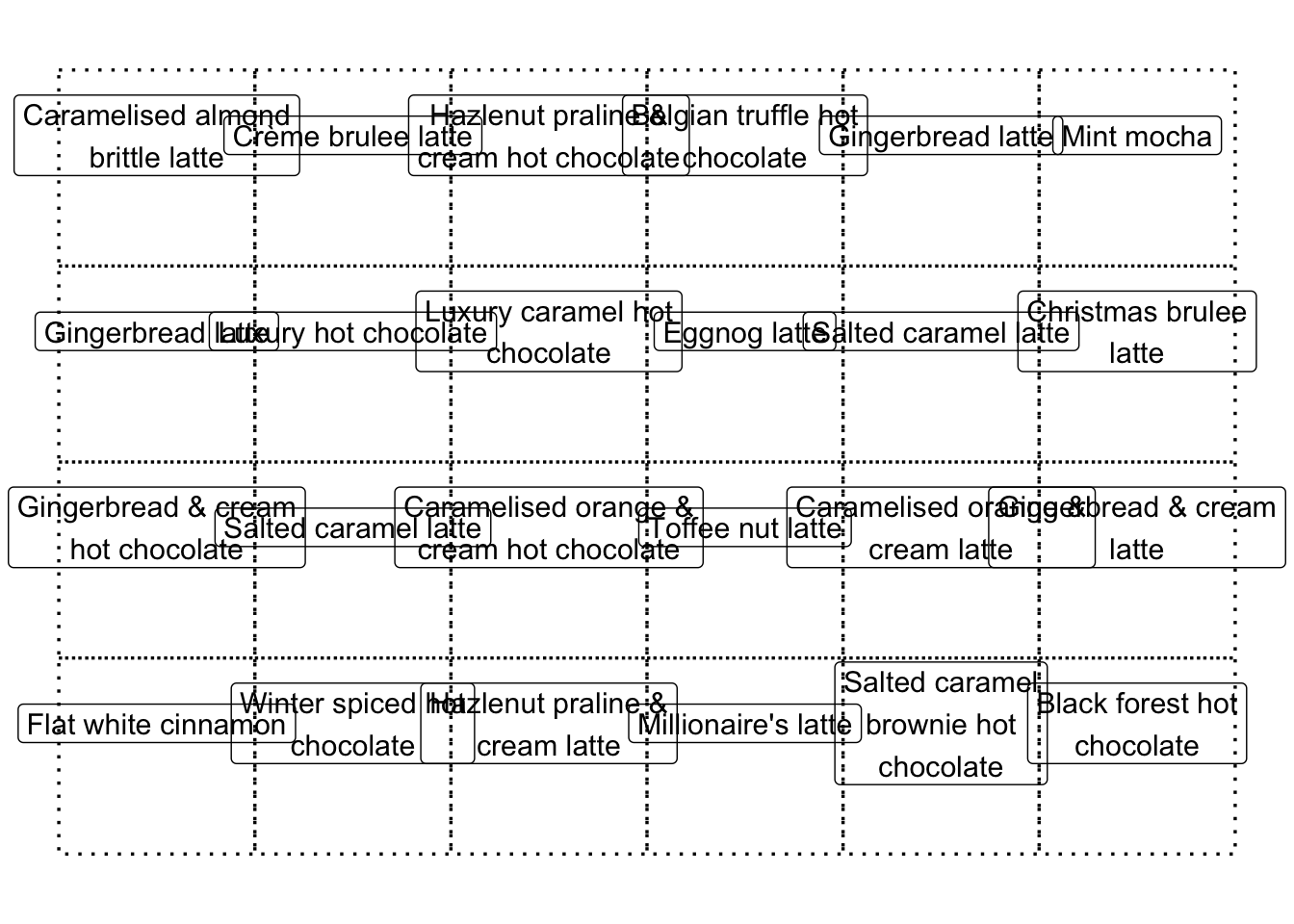
I’ve chosen to use annotation_custom() to add the images to the calendar, which requires {magick} and {grid} to read in the data and create rasterGrob objects.
library(magick)Linking to ImageMagick 6.9.13.29
Enabled features: cairo, fontconfig, freetype, heic, lcms, pango, raw, rsvg, webp
Disabled features: fftw, ghostscript, x11library(grid)
coffee_house_logos <- list.files(
quarto_here(""),
pattern = "logo",
full.names = TRUE
)
coffee_house_names <- str_remove(basename(coffee_house_logos), "_.*") |>
str_replace("-", " ") |>
str_to_title() |>
str_replace("Mccafe", "McCafé") |>
str_replace("Cafe Nero", "Café Nero")
coffee_house_data <- set_names(coffee_house_logos, coffee_house_names)
make_logo_grob <- function(img_path) {
image_read(img_path) |>
rasterGrob(interpolate = TRUE)
}
coffee_house_grobs <- map(coffee_house_data, make_logo_grob)I then use pwalk() to iteratively add the logos:
gg_logoed_treats <- gg_landscape_door_treats

landscape_door_treats |>
  pwalk(function(x, y, retailer, ...) {
    logo <- coffee_house_grobs[[retailer]]
    gg_logoed_treats <<- gg_logoed_treats +
      annotation_custom(
        logo,
        ymin = y - 1.25,
        ymax = y - 0.25,
        xmin = x - 0.5,
        xmax = x + 0.5
      )
  })
gg_logoed_treats
Iteratively opening the doors
The next thing I did was find a Christmassy background image so I could iteratively open up doors. The {ggpubr} package provides background_image() for adding the image:
library(ggpubr)
christmassy_background <- image_read(quarto_here(
  "santa-3016939_640.jpg"
))
cardboard_background <- image_read(quarto_here(
  "cardboard-effect.jpg"
))

gg_advent_landscape <- landscape_door_centers |>
  ggplot(aes(x, y)) +
  background_image(christmassy_background) +
  geom_tile(color = "black", linewidth = 0.6, linetype = "dotted", alpha = 0) +
  geom_label(aes(label = door_number)) +
  theme_void() +
  coord_fixed()
gg_advent_landscape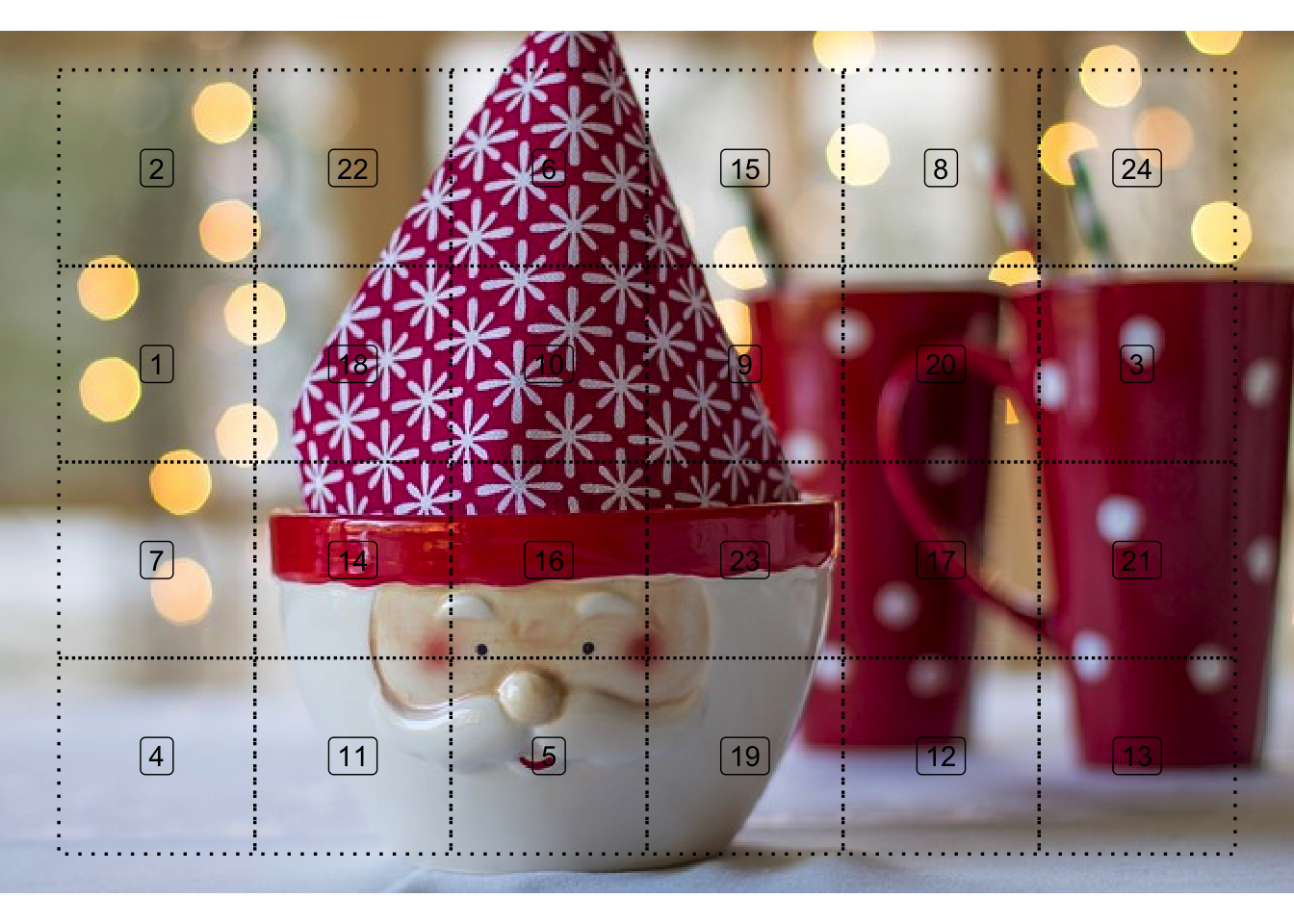
Here’s a function to iteratively open doors:
open_advent_doors <- function(gg_advent, advent_treats, open_doors) {
  gg_local <- gg_advent

  advent_treats |>
    filter(door_number %in% open_doors) |>
    pwalk(function(x, y, retailer, drink_name, ...) {
      logo <- coffee_house_grobs[[retailer]]
      gg_local <<- gg_local +
        annotation_custom(
          cardboard_background |>
            image_crop("-200x400") |>
            rasterGrob(interpolate = TRUE),
          ymin = y - 1.5,
          ymax = y + 1.5,
          xmin = x - 2,
          xmax = x + 2
        ) +
        annotation_custom(
          logo,
          ymin = y - 1.25,
          ymax = y - 0.25,
          xmin = x - 0.5,
          xmax = x + 0.5
        ) +
        geom_label(
          data = tibble(x, y, drink_name),
          aes(label = drink_name, x = x, y = y),
          nudge_y = 0.5,
          size = 5
        )
    })

  gg_local
}
Here’s the calendar after opening 10 doors:
open_advent_doors(gg_advent_landscape, landscape_door_treats, 1:10)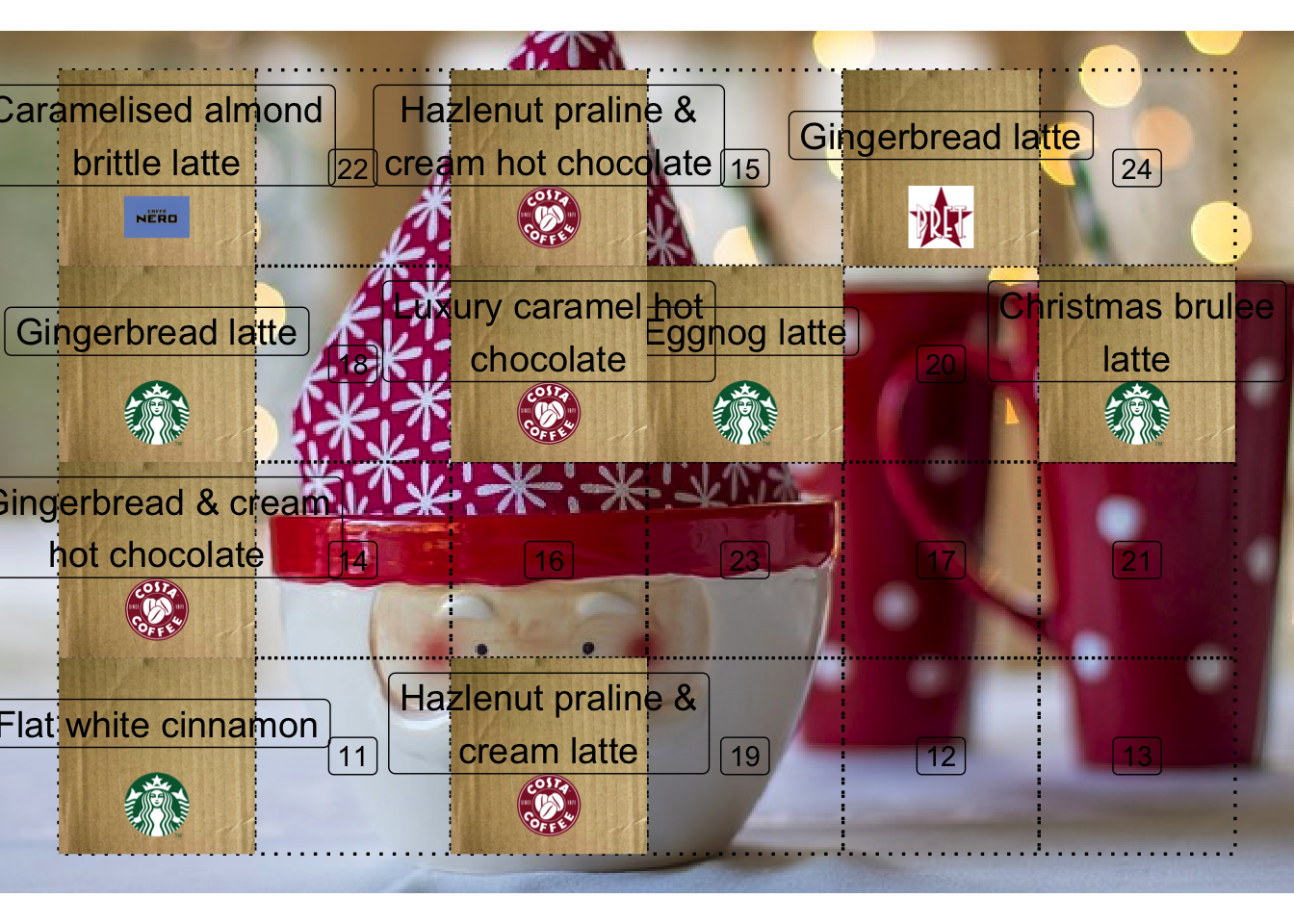
To animate the doors opening I programmatically generate a GIF rather than using {gganimate}:
tibble(remaining_days = 1:24) |>
  rowwise() |>
  mutate(doors = list(1:remaining_days)) |>
  pwalk(function(doors, ...) {
    opened_door <- open_advent_doors(
      gg_advent_landscape,
      landscape_door_treats,
      doors
    )

    img_path <- quarto_here(
      paste0(
        "gg_iterative_opened_door_",
        formatC(length(doors), width = 2, format = "d", flag = "0"),
        ".png"
      )
    )

    ggsave(img_path, opened_door, width = 12, height = 8)

    image_read(img_path) |>
      image_trim() |>
      image_resize("1400x") |>
      image_write(img_path)
  })

door_open_images <- list.files(
  quarto_here(""),
  pattern = "gg_iterative_opened_door",
  full.names = TRUE
)

door_open_images |>
  tibble(img = _) |>
  map(image_read) |>
  image_join() |>
  image_animate(fps = 0.5) |>
  image_write(quarto_here(
    "gg_animated_door_openings.gif"
  ))

unlink(door_open_images)